AI enhancement
Neural polish for skin, sharpness, and color — tuned for live video, not still-photo filters.
AI webcam software for Windows
Romera Vision enhances your camera in real time, routes a polished virtual cam into OBS, Zoom, and Teams, and pairs your iPhone over Wi-Fi as a second angle — no capture card required.
Install once, activate with your license key, and go live in minutes.
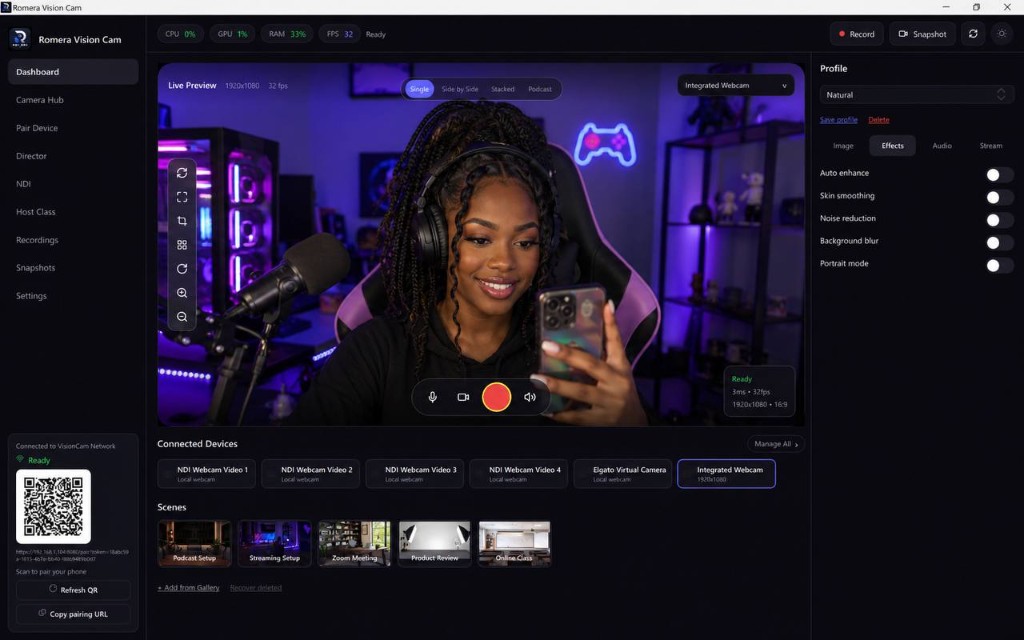
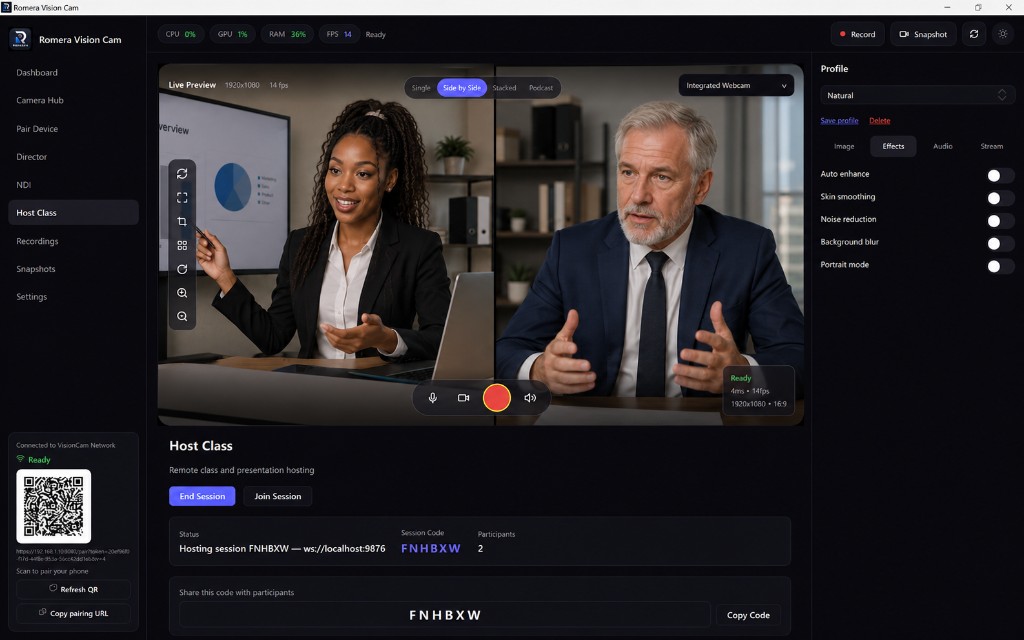
Actual app UI — Windows 10/11
Works with your stack
Start with a 7-day trial on Monthly or Yearly. Prefer to own it outright? Lifetime includes every major release — up to 3 device seats included.
Features
Capture, enhance, compose, and output — without chaining together five separate tools.
Neural polish for skin, sharpness, and color — tuned for live video, not still-photo filters.
One enhanced feed into OBS, Zoom, Teams, Riverside, and any app that reads a webcam.
Blur or replace backgrounds without a green screen. Edge-aware matting that holds in motion.
Pair an iPhone over Wi-Fi, scan a QR code, and use it as a second 4K source in the same app.
Side-by-side, stacked, and podcast layouts when two cameras are active — preview, record, and stream.
Streamer, Creator, Podcast, and Meeting modes switch your look and routing in one click.
Local capture with hardware encoding when your GPU supports it.
Sub-frame preview path so toggles and scene changes feel instant on stream.
Product
Modes switch your layout, color, and routing without rebuilding OBS scenes from scratch.
Short-form
Punchy color and framing presets for social content — one feed for recording and virtual cam output.
7-day
Free trial
1–3
Device seats
4K
Local recording
30-day
Money-back
Compare
Romera Vision combines capture, AI enhancement, multi-cam composition, and virtual camera output in one Windows app.
| Capability | Typical webcam tools | Romera Vision |
|---|---|---|
| AI enhancement | Filters or none | Real-time neural pipeline |
| Virtual camera | Separate tools or plugins | Built-in, universal |
| Phone as webcam | USB-only or extra apps | Wi-Fi QR pairing in-app |
| Multi-cam layouts | Manual OBS scenes | Side-by-side, stacked, podcast |
| Background removal | Green screen or basic blur | RVM segmentation AI |
| Per-source audio | Single mixed track | Toggle audio per camera |
| Offline license | Always-online DRM | JWT validation + grace period |
Use cases
Whether you stream nightly, record courses, or run client calls — the same enhanced feed powers every destination.
Route an enhanced virtual cam into OBS or Streamlabs. Low-light boost and stream presets keep your face consistent across marathon sessions.
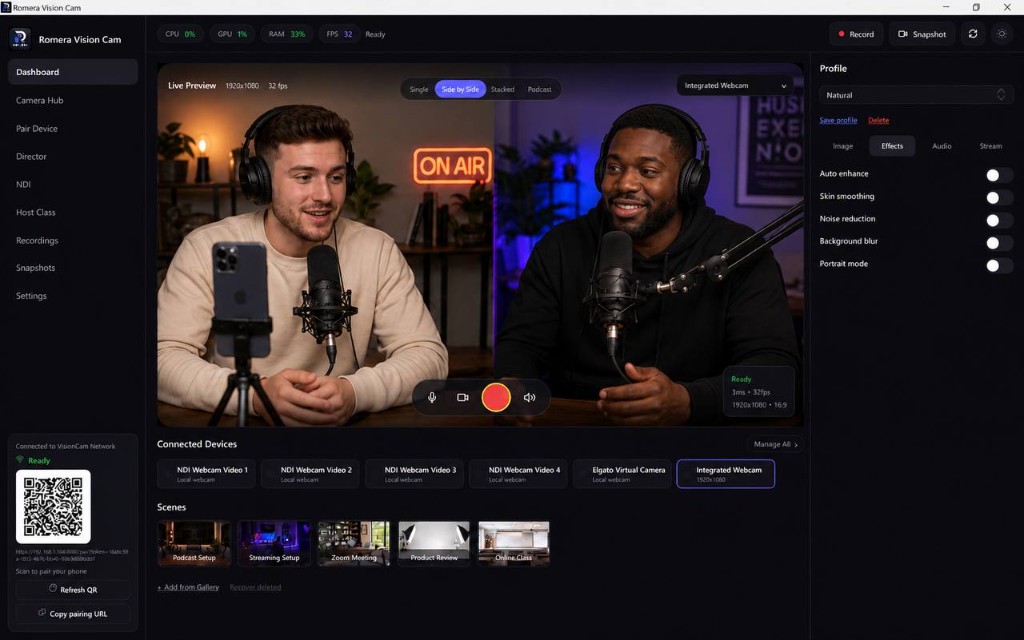
Podcast program mode, noise reduction, and dual-camera layouts make remote co-hosts look like they share a desk.
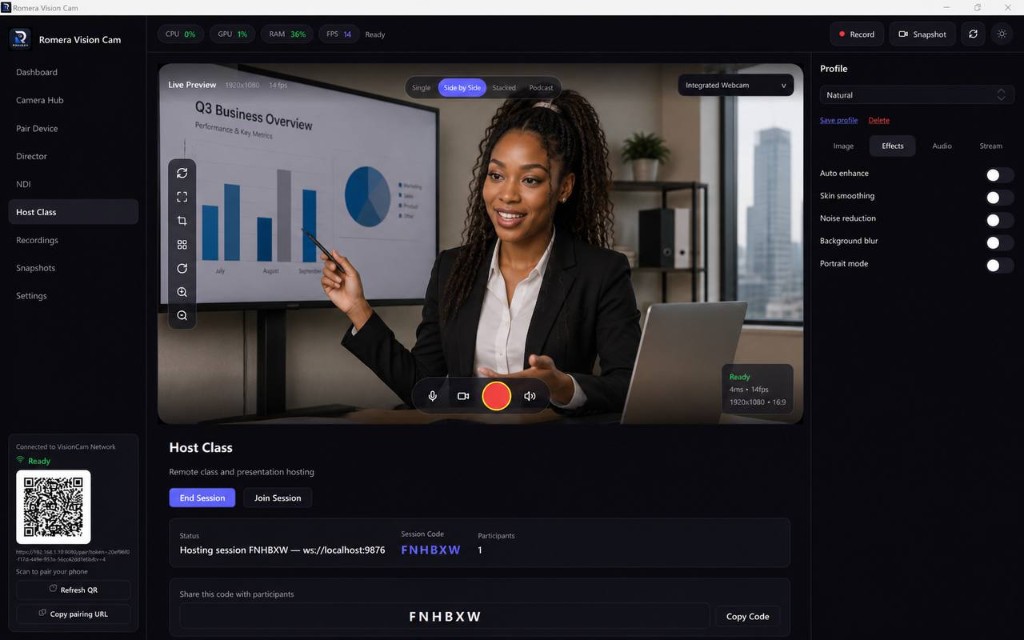
Background blur for home offices, auto framing when you stand, and a reliable Zoom/Teams virtual camera for every class.
Seat-based licensing lets each creator activate on their own machine. Yearly and Lifetime plans scale to small teams.
Pricing
Monthly and Yearly include a 7-day trial. Lifetime is a one-time purchase with up to 3 device seats.
Full access, billed every month. Cancel anytime.
Includes 7-day free trial
Save $24 vs monthly ($84/yr). Best value on a subscription.
Includes 7-day free trial
One payment. Own Romera Vision forever.
Pay once, yours forever
Prices shown for your region. Taxes may apply at checkout.
Purchase Romera Vision risk-free. If it doesn't fit your workflow, email us within 30 days for a full refund.
FAQ
Compatibility, licensing, trials, and how Romera Vision fits with OBS and your meeting apps.
Romera Vision is AI webcam software for Windows 10/11. It enhances your camera feed in real time, removes or blurs backgrounds, records locally in up to 4K, and outputs a universal virtual camera for OBS, Zoom, Teams, and other apps.
On the same Wi-Fi network, open Pair Device in the desktop app, start the server, and scan the QR code on your iPhone. After trusting the profile, Safari streams your phone camera back to Romera Vision as a second source.
Yes. Select Romera Vision as a Video Capture Device in OBS, Streamlabs, or Twitch Studio. Streamer mode applies color and latency settings suited to live platforms.
Yes. The app registers a virtual camera that appears in Zoom, Teams, Google Meet, and Riverside like any other webcam — with your AI enhancement applied before it leaves the app.
When two cameras are active, you can compose them side-by-side, stacked, or in podcast layout. The same composition applies to preview, recording, virtual cam output, and streaming.
After checkout you receive license keys by email — 1 for Monthly, 2 for Yearly, 3 for Lifetime. Each key activates one device. Paste a key in Settings → License on each Windows machine.
Monthly and Yearly plans include a 7-day trial. Lifetime is a one-time purchase with no recurring bill.
Every plan is covered by a 30-day money-back guarantee. Email support@romeravision.com within 30 days if the app is not right for your workflow.
Windows 10 or 11. A modern multi-core CPU is recommended; a supported GPU unlocks hardware-accelerated 4K encoding and faster AI effects.
OBS is excellent for compositing and streaming, but it does not enhance your raw camera. Romera Vision handles capture, AI polish, matting, and framing — then feeds a finished virtual camera into OBS or any other app.
Pick a plan, get your license key by email, install on Windows, and route your first enhanced feed into OBS or Zoom today.
7-day trial · 30-day guarantee · Secure checkout